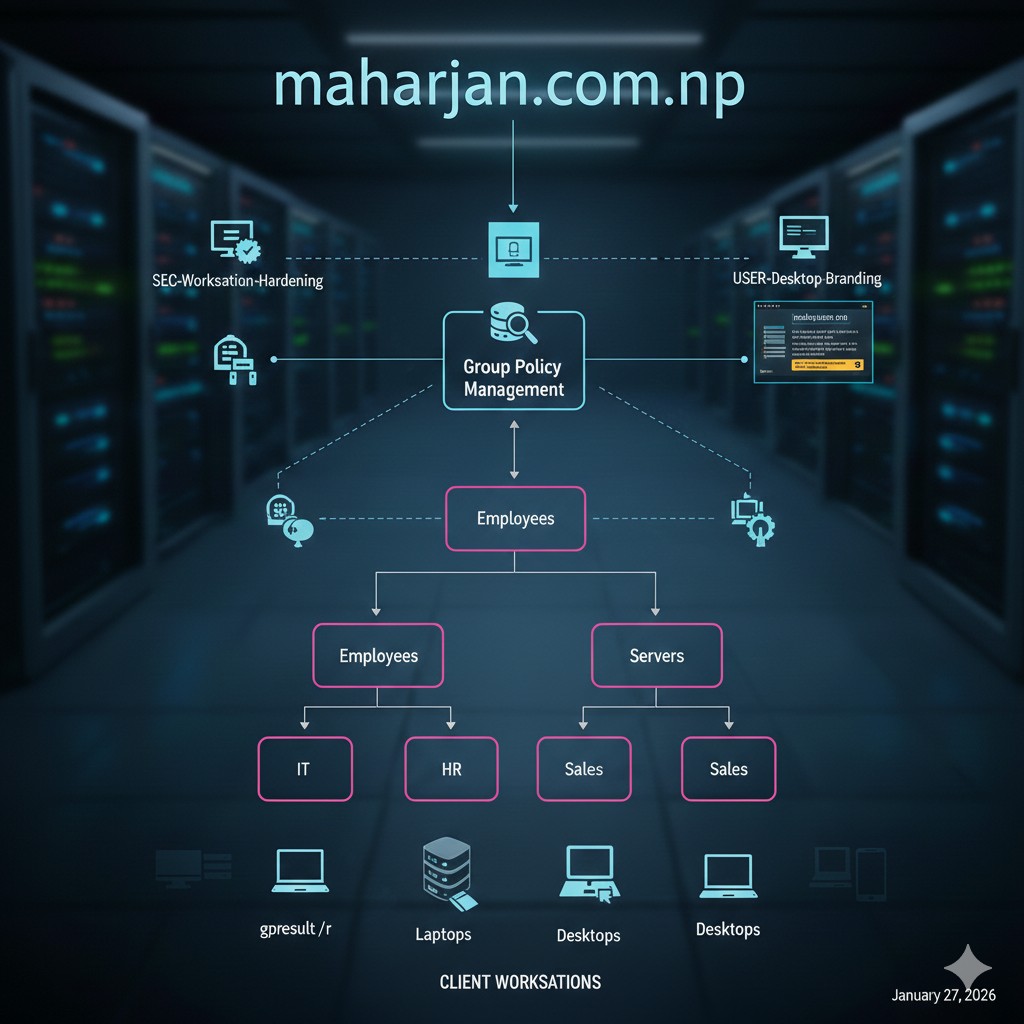
Active Directory Mastery: Infrastructure, Branding & GPO Security
In our previous post, we successfully laid the foundation of our infrastructure by installing and configuring the primary Domain Controller for maharjan.com.np.
However, a raw Active Directory environment is like a brand-new office building with no furniture, no signage, and no security badges. As an Assistant Technical Manager, my priority is ensuring that our IT environment is not only functional but also secure and professionally branded.
In this guide, we will move beyond the basic installation to implement enterprise-level best practices. We will explore how to organize your directory using a clean Organizational Unit (OU) structure, automate a consistent corporate identity through Branding GPOs, and harden our workstations against common local network threats.
Building a robust identity perimeter on maharjan.com.np requires a professional Organizational Unit (OU) hierarchy, secure group management, and a verified Group Policy pipeline to enforce both a hardened security posture and a consistent corporate brand.
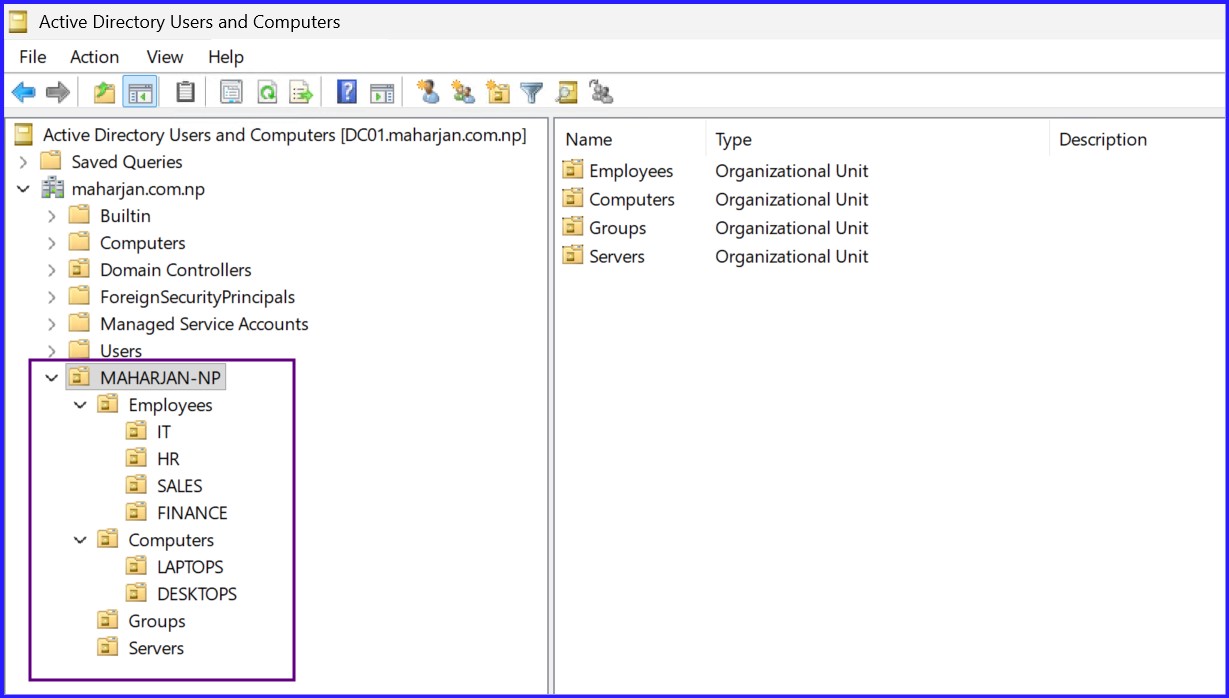
1. Best Practice OU & Group Structure
A structured Active Directory is easier to manage and secure. We avoid the "default container" trap by creating a dedicated root OU for the organization.
2. Essential Step: Centralized Branding Share
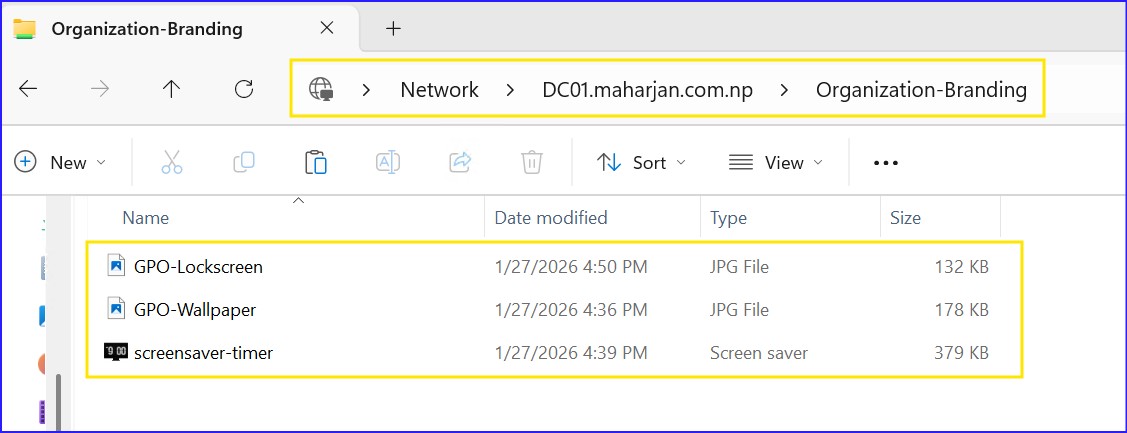
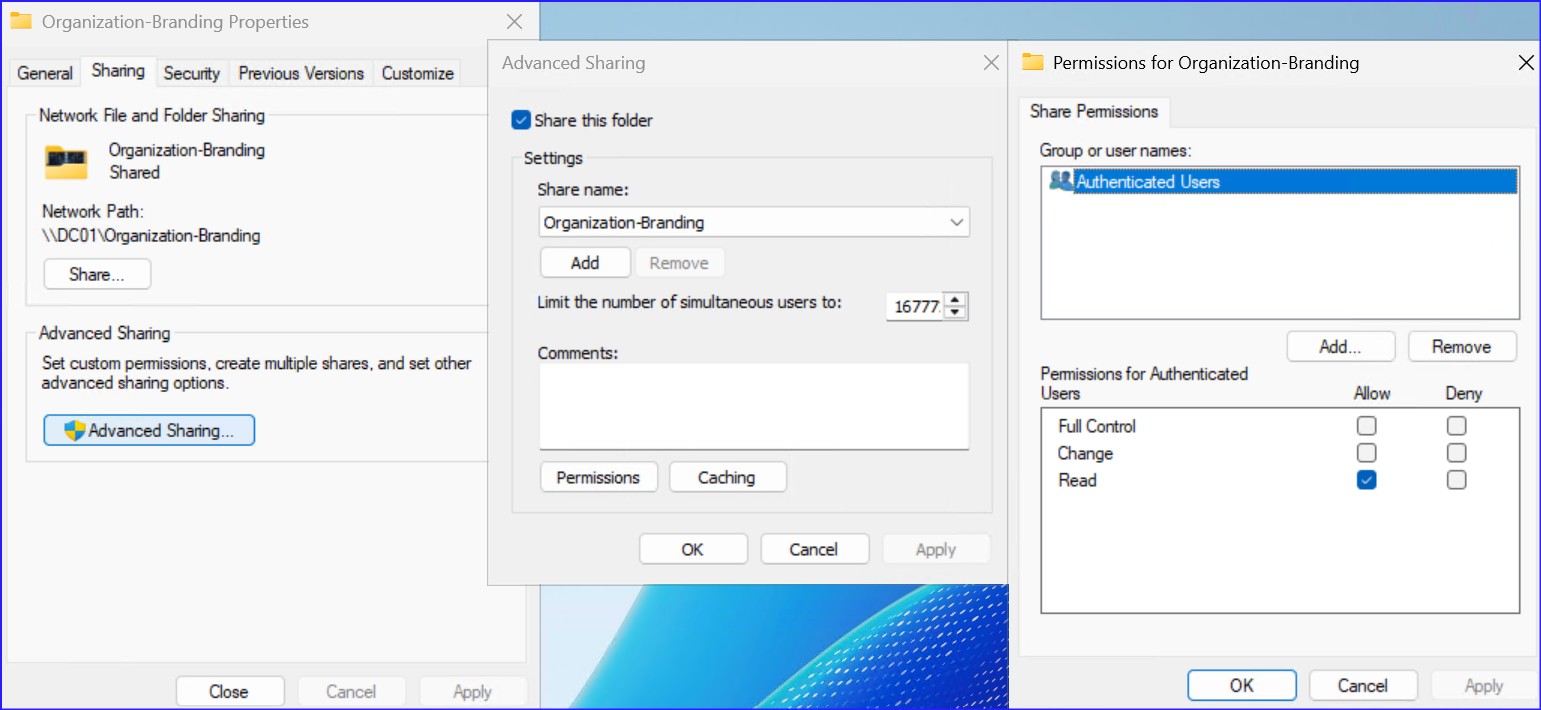
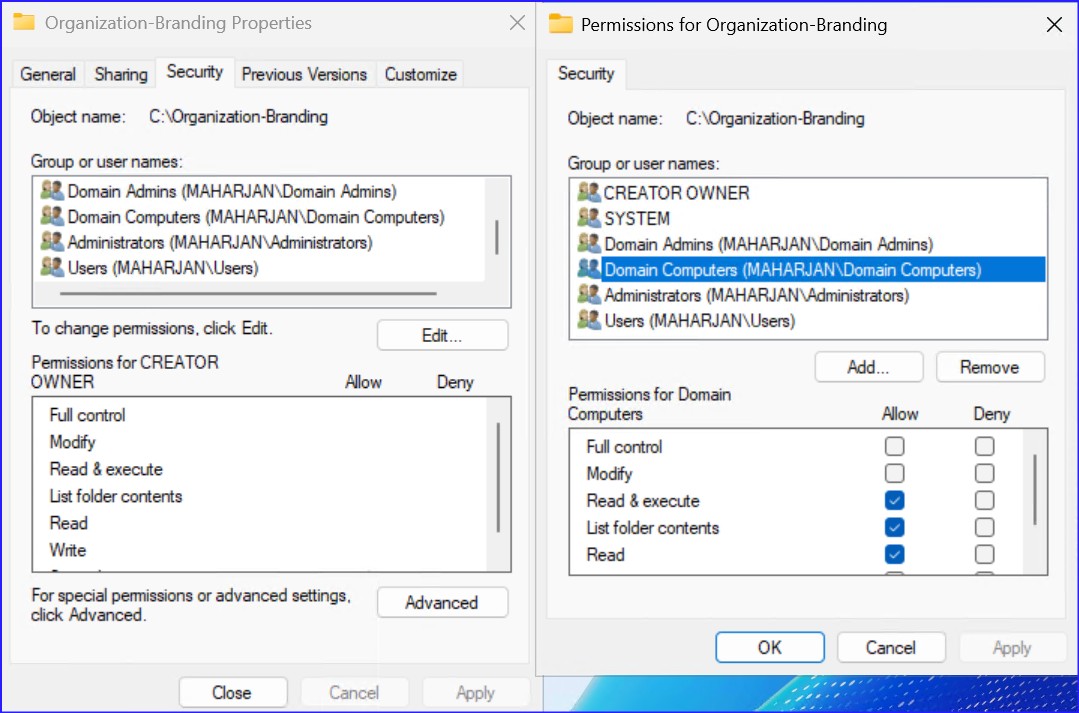
Before configuring GPOs, your assets must be accessible via a domain-based UNC path. Workstations pull these files using their computer accounts.
| Permission Type | Group / User | Access Level |
|---|---|---|
| Share Permissions | Authenticated Users | Read |
| NTFS Permissions | Domain Computers | Read & Execute |
| NTFS Permissions | Domain Admins | Full Control |
3. Organizational Branding GPOs
We automate the user experience to ensure every workstation represents the professional standard of maharjan.com.np.
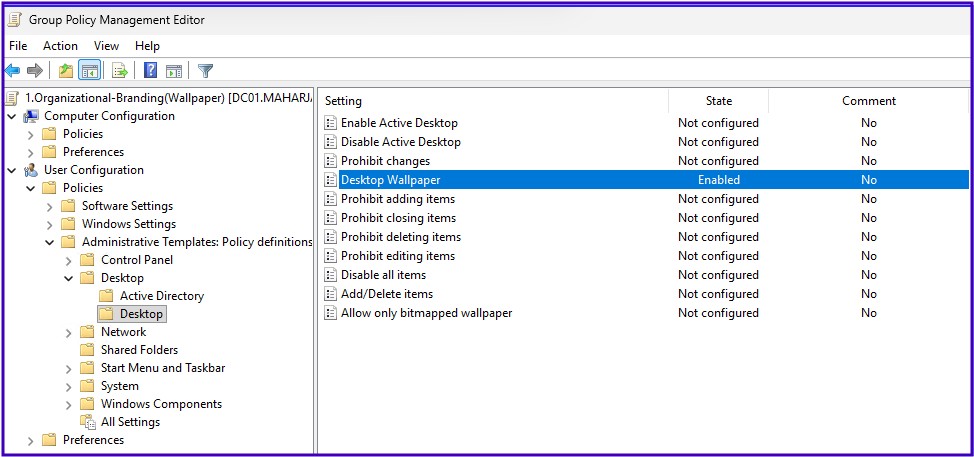
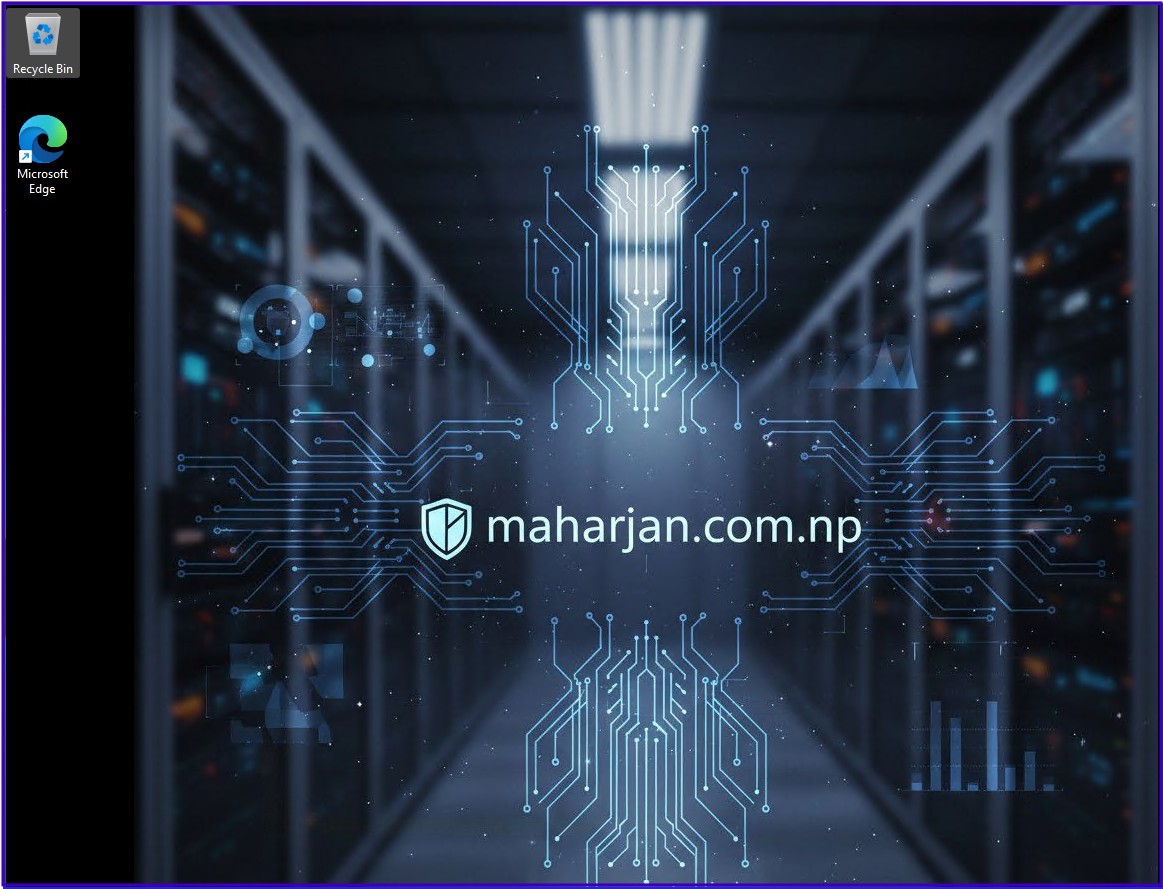
Corporate Wallpaper
User Configuration > Administrative Templates > Desktop > Desktop > Desktop WallpaperPath: \\DC01.maharjan.com.np\Organization-Branding\GPO-Wallpaper.jpg
Wallpaper Style: Center
Managed Screensaver (Timeout & Lock)
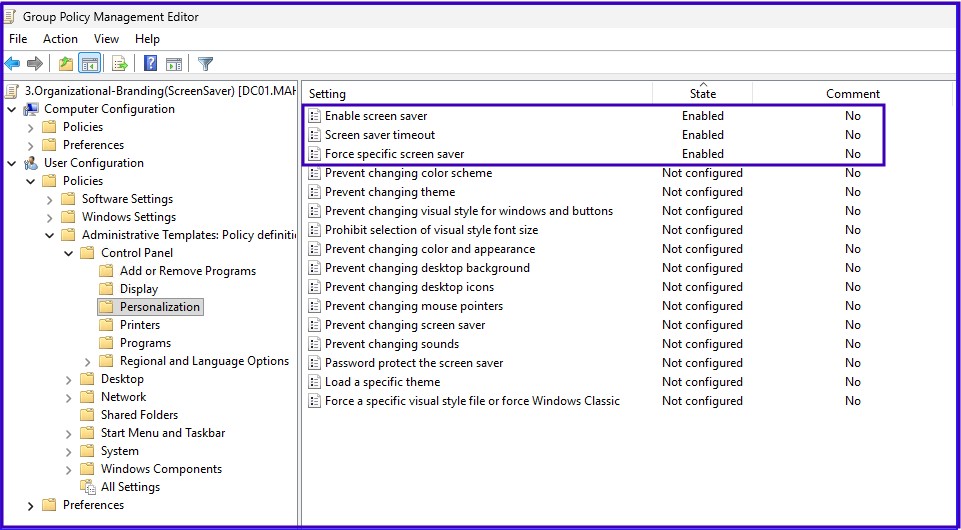
User Configuration > Administrative Templates > Control Panel > PersonalizationForce Specific Screensaver: \\DC01.maharjan.com.np\Organization-Branding\screensaver-timer.scr
Screensaver Options:
Enable Screen Saver: Enable
Screen Saver Timeout: 60 Seconds
Machine Inactivity Limit (Idle TimeOut)
Computer Configuration > Policies > Windows Settings > Security Settings >Local Policies > Security Options > Interactive logon: Machine inactivity limit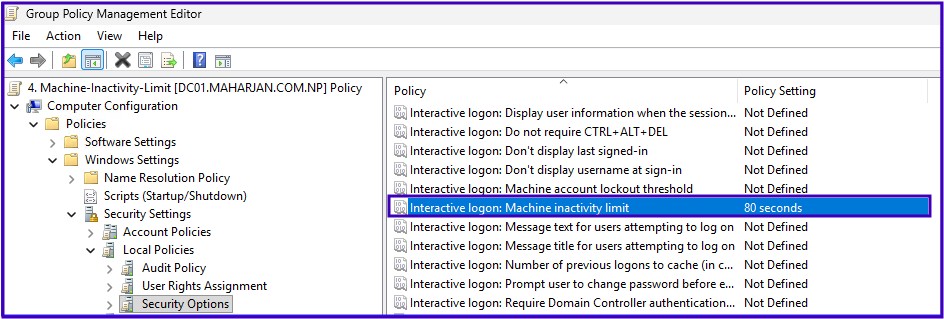
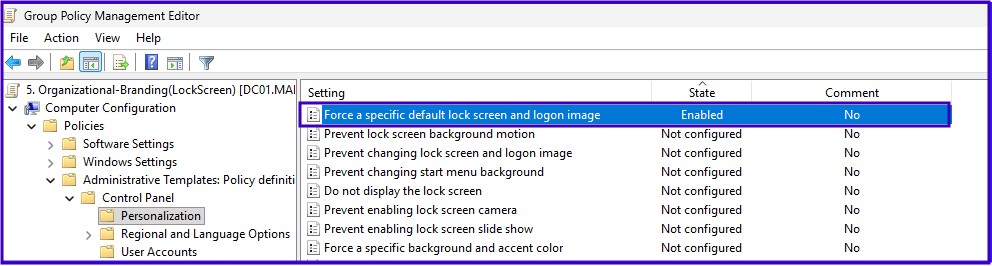
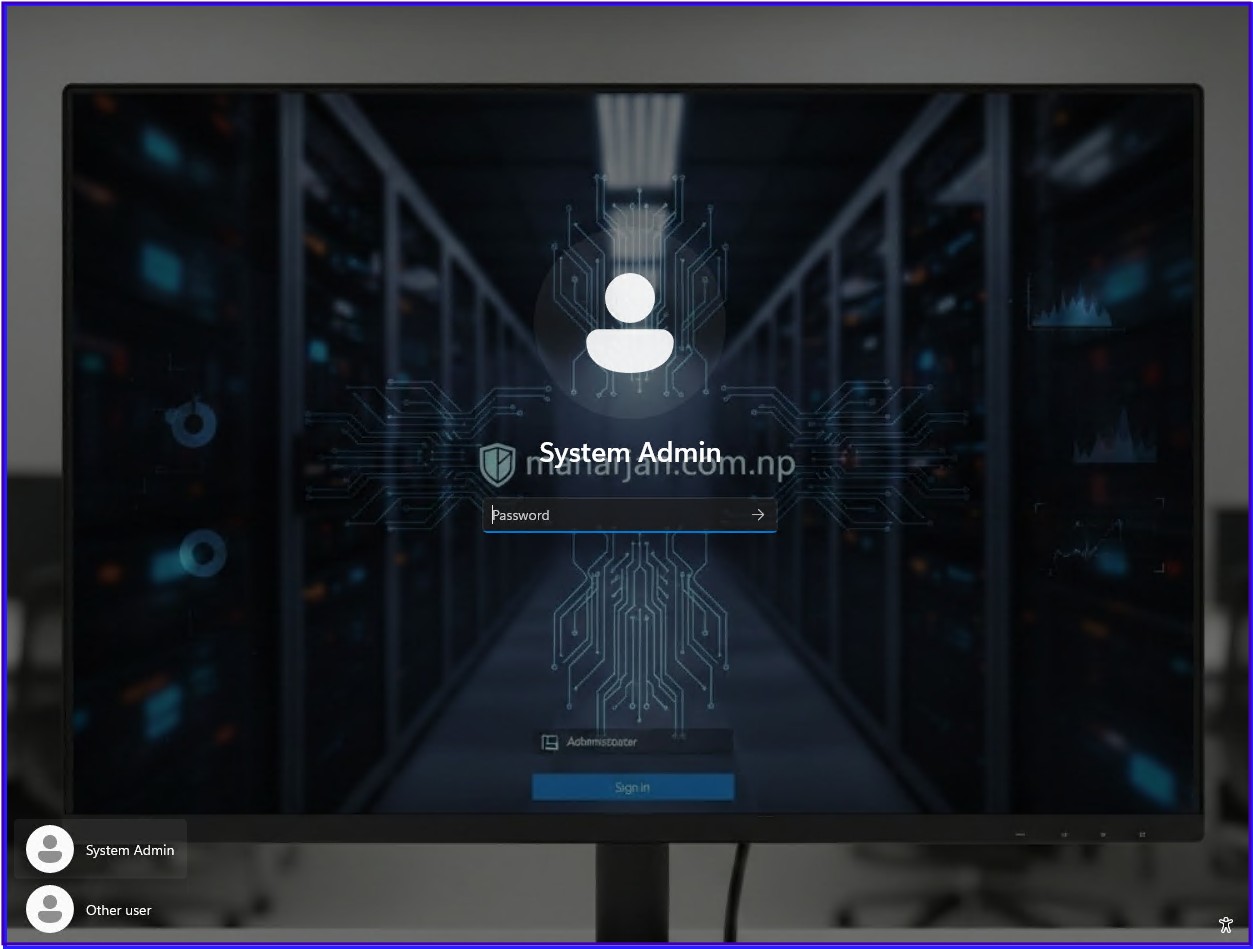
Forced Lock Screen Image
Computer Configuration > Administrative Templates > Control Panel > Personalization > Force a specific default lock screen...Path: \\DC01.maharjan.com.np\Organization-Branding\GPO-LockScreen.jpg
Note: LockScreen settings only applies to Enterprise, Education, and Server SKUs.
4. Security Hardening & Controls
Branding is nothing without a secure foundation. We deploy these policies to harden the perimeter.
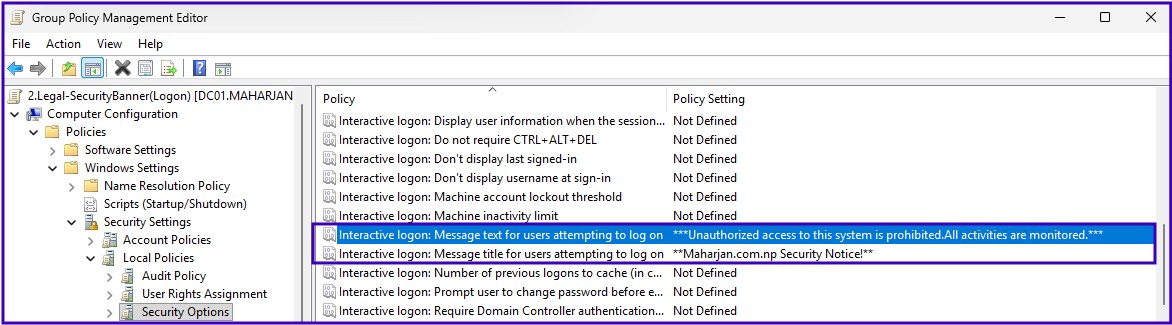
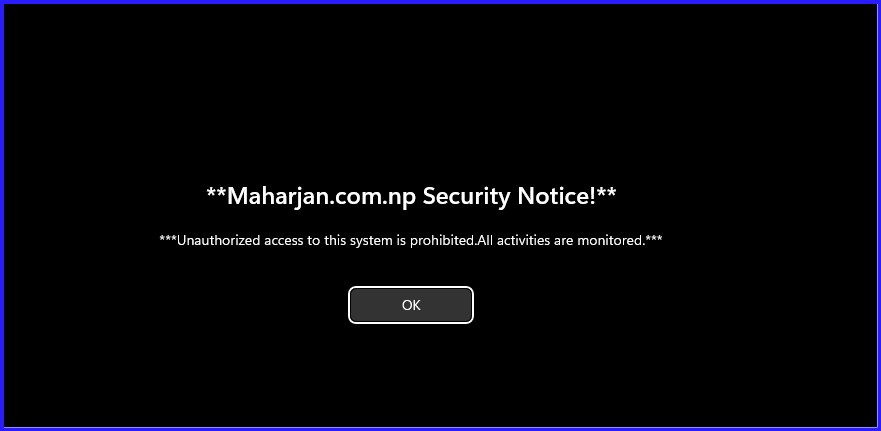
Interactive Logon: Security Banner
Computer Configuration > Windows Settings > Security Settings > Local Policies > Security Options- Text: "***Unauthorized access to this system is prohibited. All activities are monitored.***"
- Title: "maharjan.com.np Security Notice"
Essential Lockdown Policies
- Disable USB Storage: Block mass storage access to prevent data leaks.
- Disable LLMNR/NetBIOS: Mitigate local credential sniffing (MITM) attacks.
- Restricted Groups: Centrally manage who has local admin rights on workstations.
5. Joining the Domain & Verification
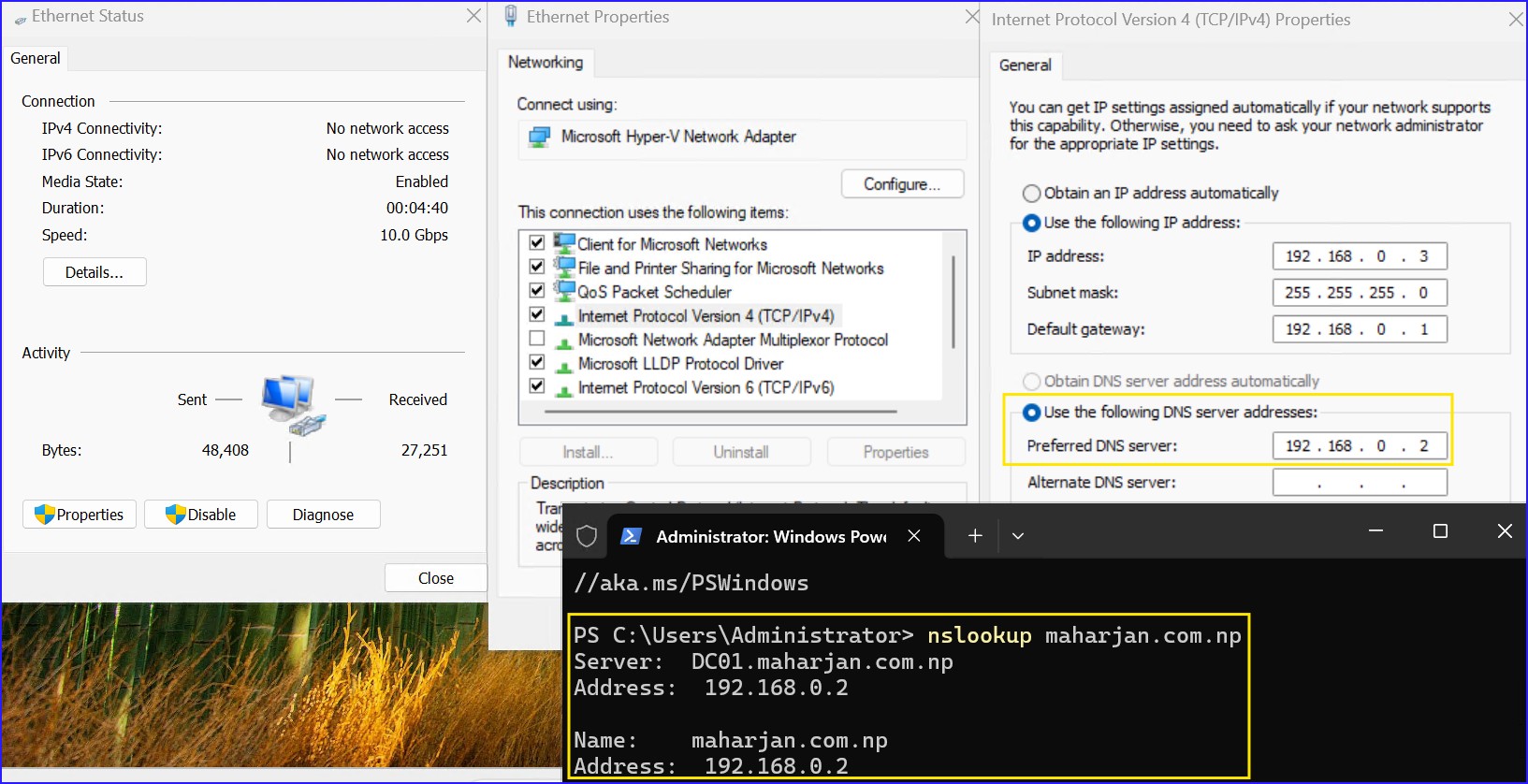
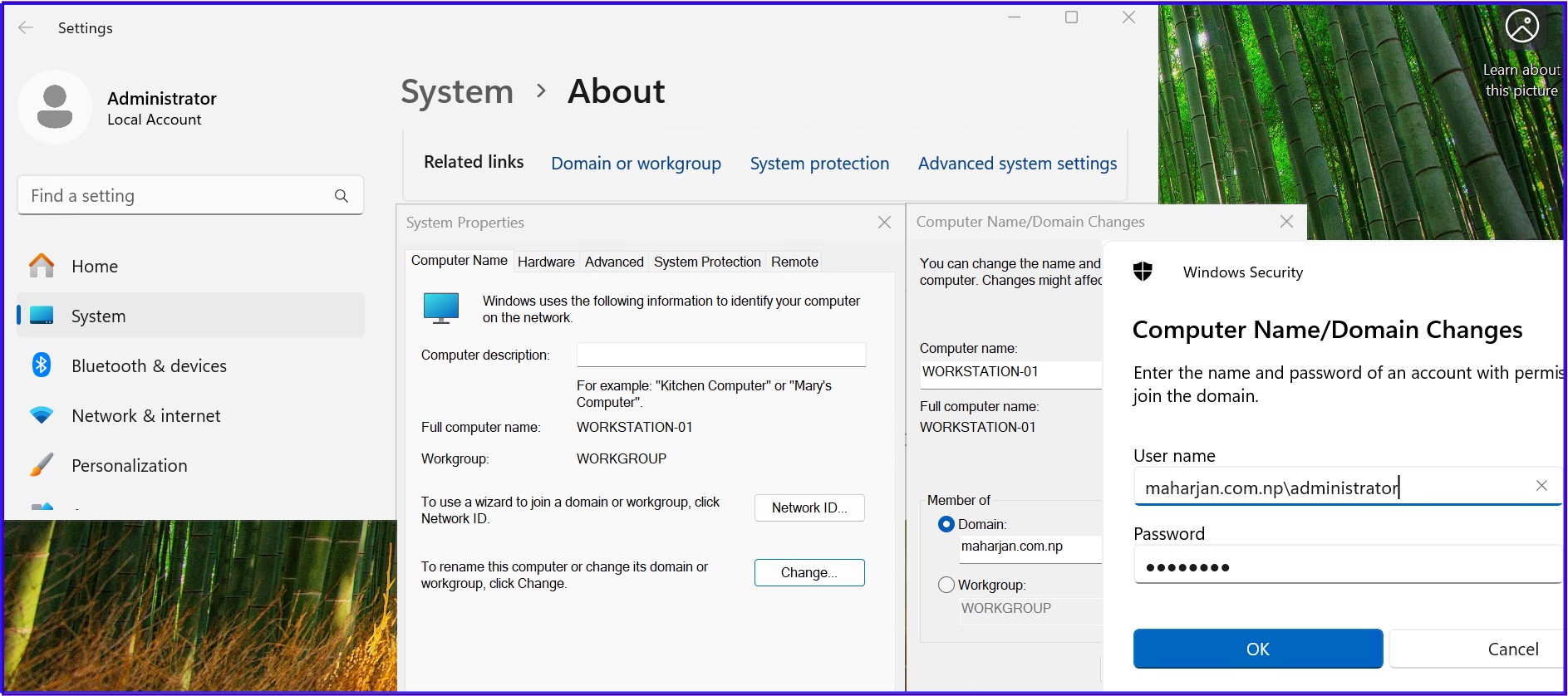
Ensure client DNS points to your DC IP. Join the domain maharjan.com.np and reboot. After login, run the heartbeat check:
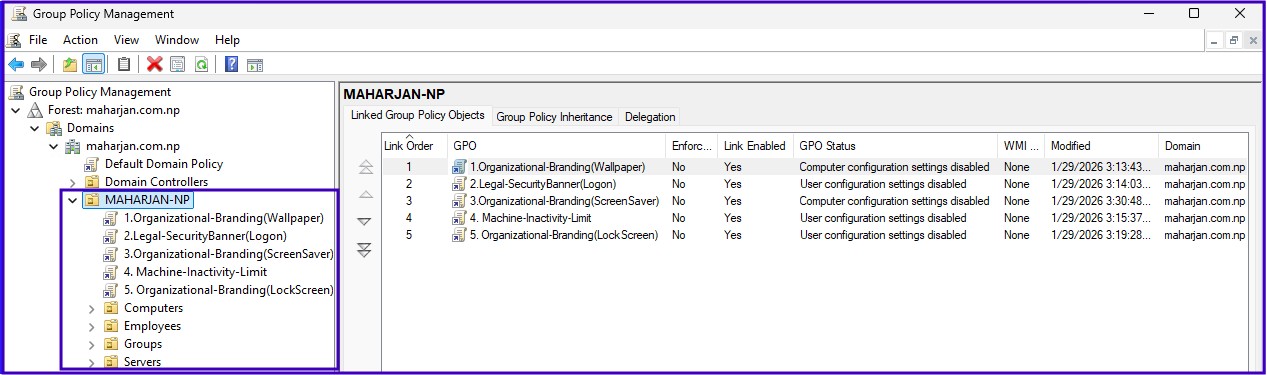
6. Link the GPO to OU
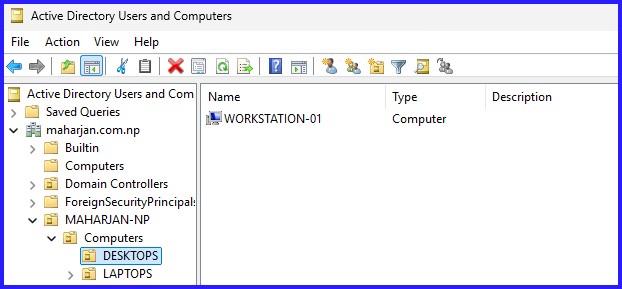
Ensure the domain joined computers move to the specific OU from by default Computers container.
dfsutil /pktflush and verify that Domain Computers have NTFS "Read" rights.
7. Test the GPO Results
Ensure Group Policy link and Computers applied in proper OU. As our Policy configuration is for Computers, reboot is required.
Quick Recap - Videos
This Active Directory deep-dive covers building a scalable OU structure and a centralized share for branding assets. We walkthrough creating Branding and Security Hardening GPOs, joining a fresh machine to the domain, and linking policies for maximum impact. The post concludes with a live demonstration of the applied policies in action.
Quick Recap Video
Conclusion
"At its core, implementing a standardized GPO framework is more than a technical task—it is about establishing a baseline of trust and professionalism across the entire maharjan.com.np infrastructure. By transitioning from fragmented local configurations to centralized management, we significantly reduce administrative overhead and eliminate the risks associated with configuration drift.
The equilibrium we’ve established between aesthetic branding and security hardening ensures that users are met with a clear corporate identity, while the underlying systems remain resilient against local network threats like LLMNR poisoning and unauthorized data exfiltration via USB. By combining a clean Organizational Unit (OU) foundation with these hardened security policies, we have built a scalable, enterprise-grade environment. This structured foundation is precisely what we need as we prepare to integrate advanced features like High Availability and Site-to-Site replication. You are now ready to expand your horizon into the next phase of infrastructure resilience."